TABLE OF CONTENTS
If you activated the Pro Theme from your store's design page, your categories will support three category levels instead of two in the Simple Theme:
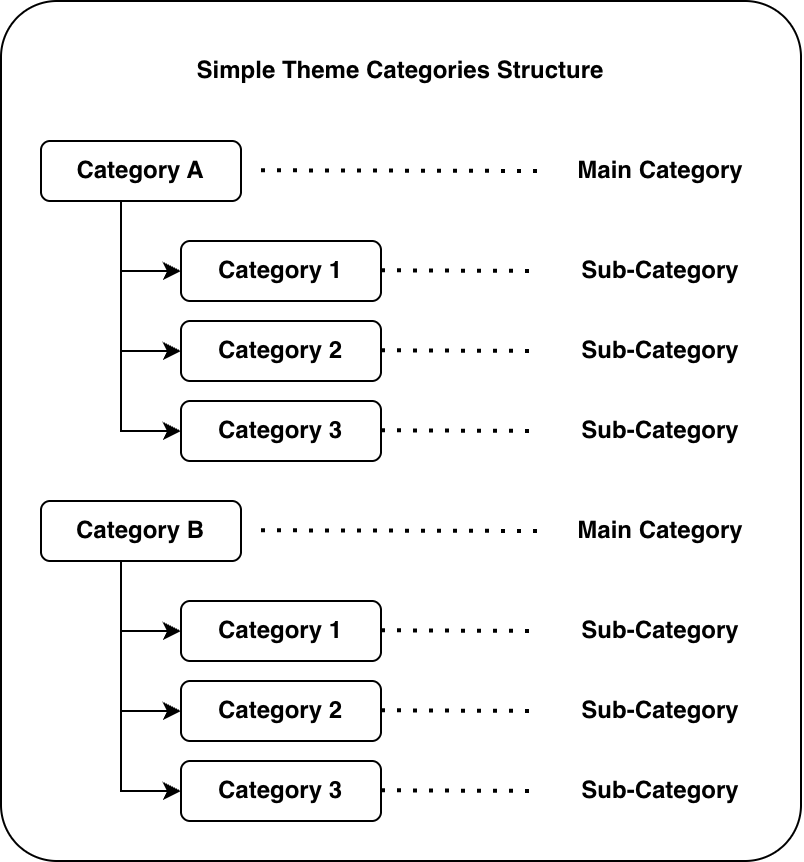
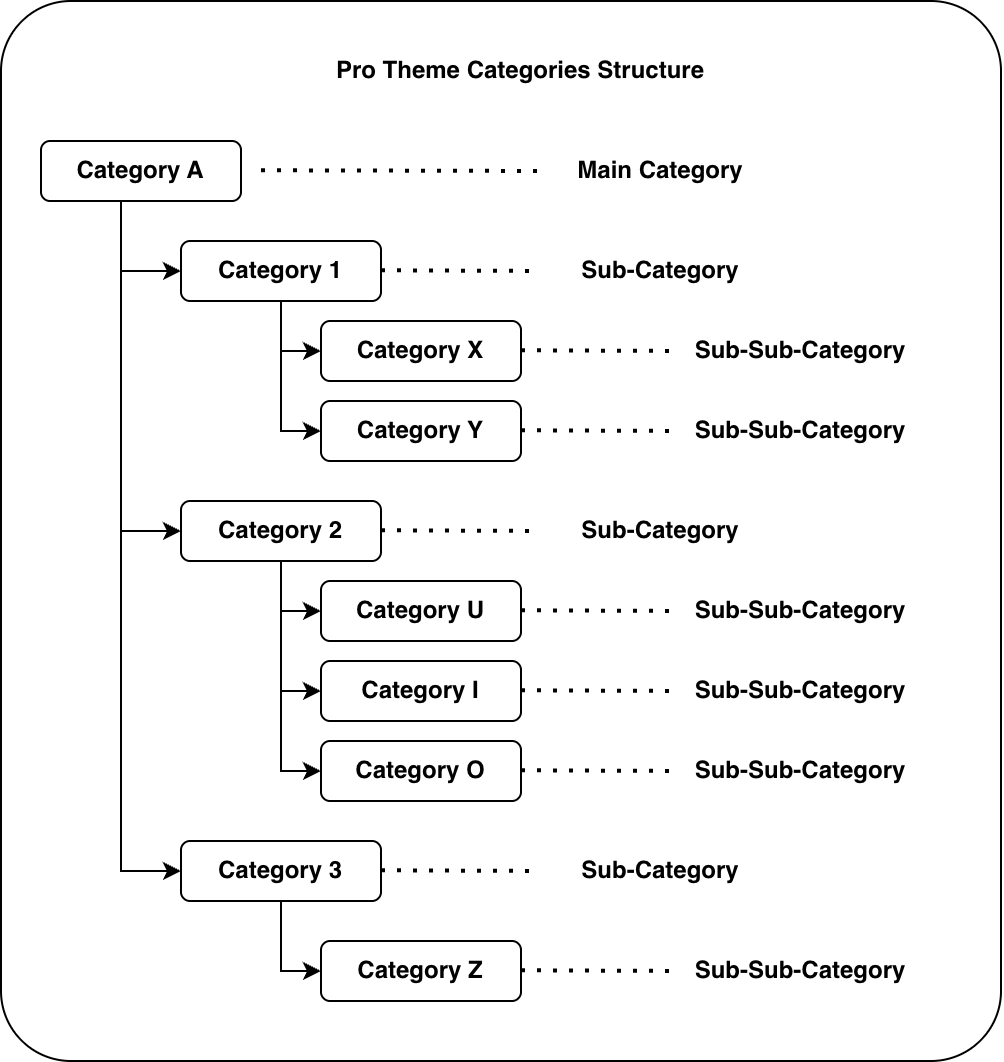
Setting up Categories in the Pro Theme
Option 1: Two Levels
If your categories setup has:
- Category A (Main Category)
- Category 1 (Sub-Category)
- Category 2 (Sub-Category)
- ...
Follow the steps to create this setup:
- Step 1: Create all your categories (Main Categories and Sub-Categories)
Create each category by entering: Category Name (English and Arabic) and upload the category image
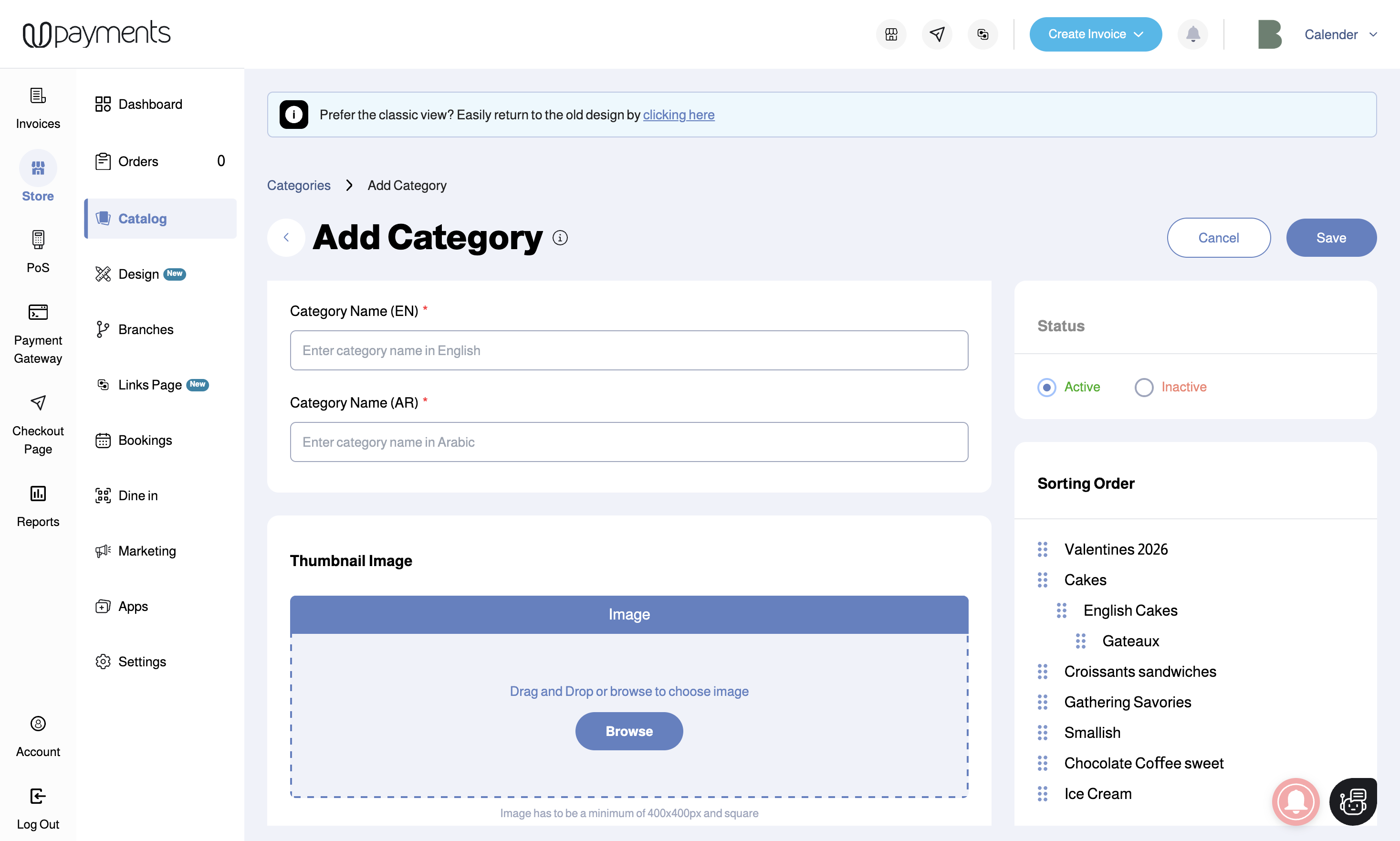
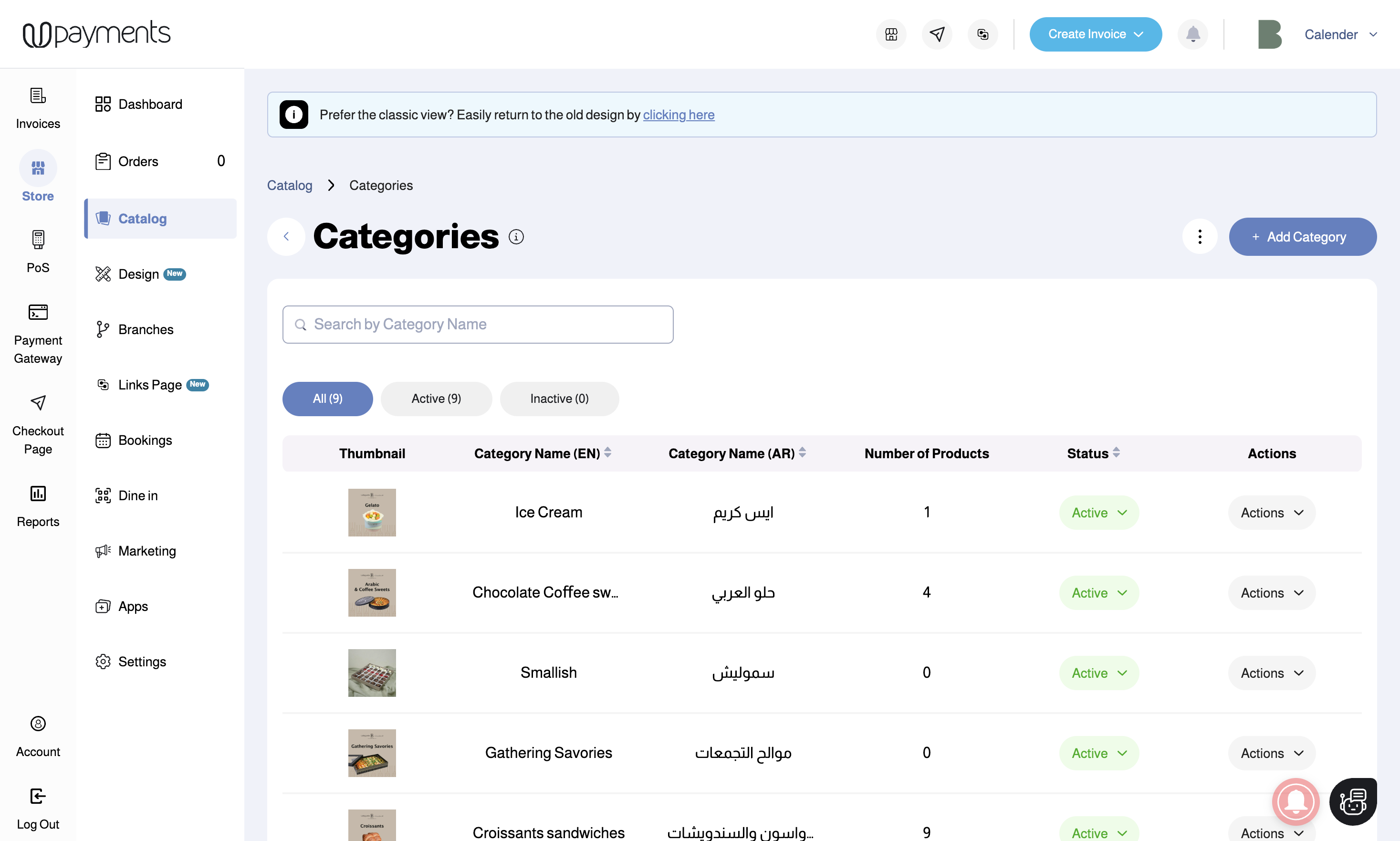
- Step 2: For each Sub-Category, edit the category and select the corresponding "Parent Category" from the dropdown list
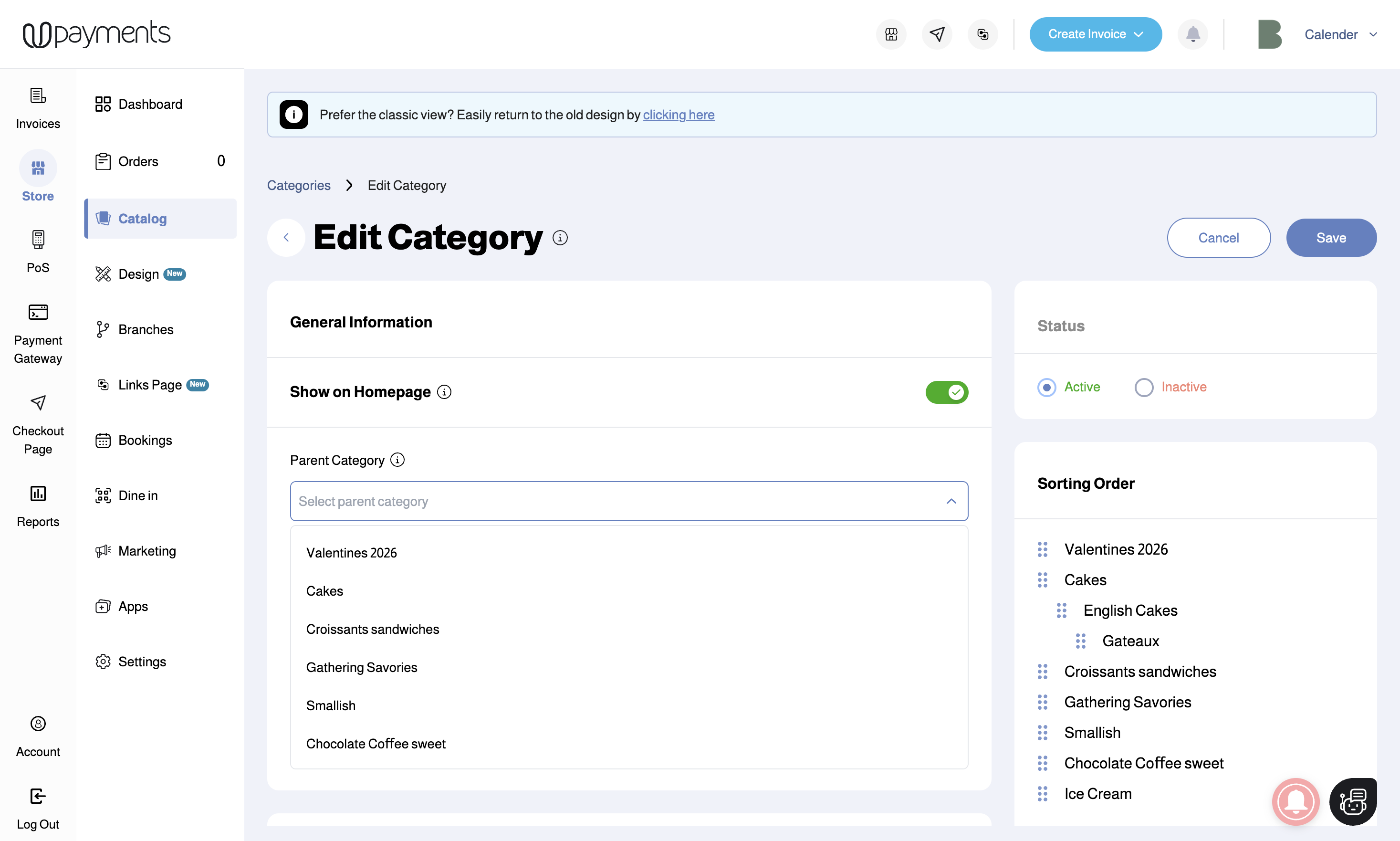
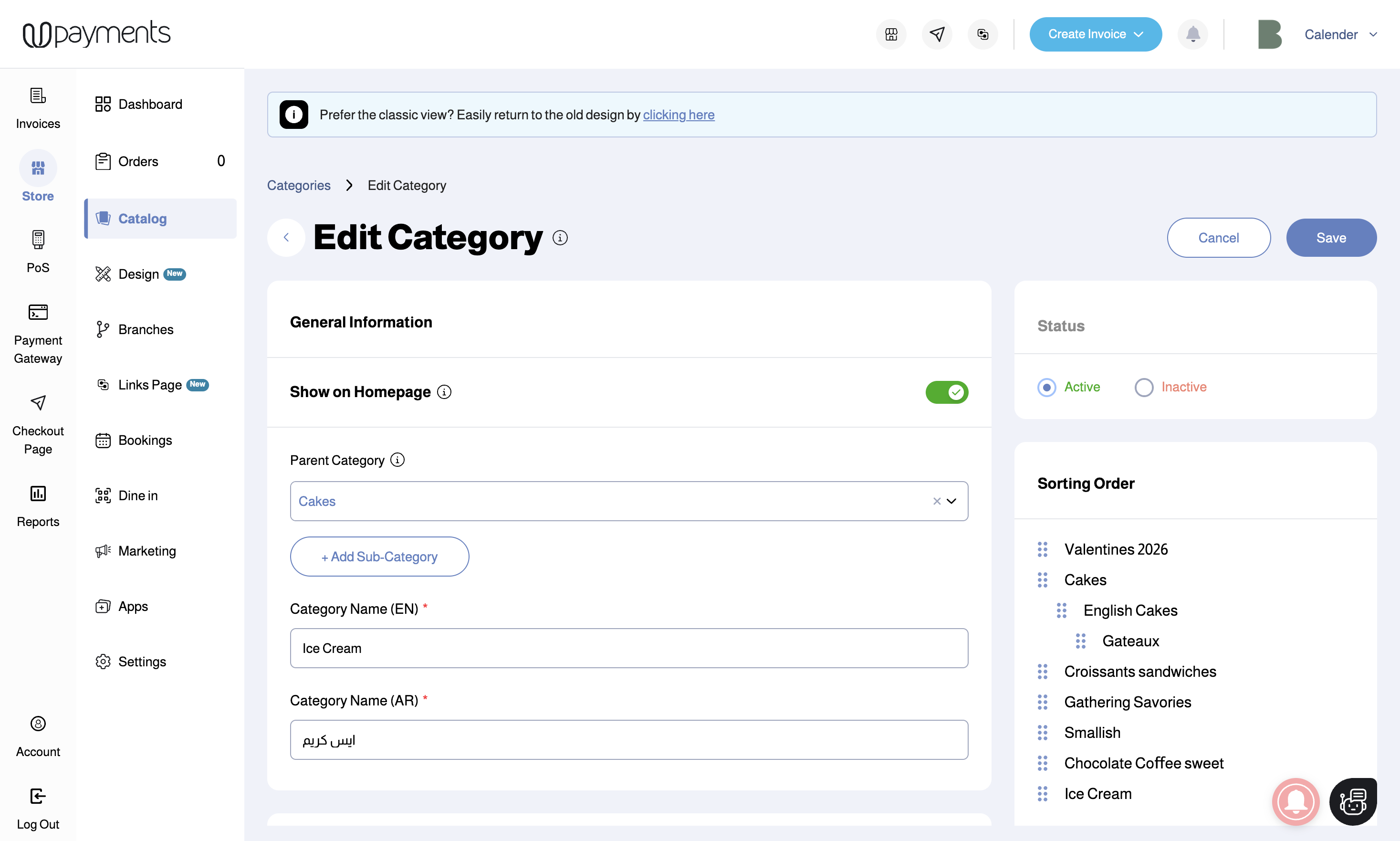
By following these steps, your categories will have a Main Category and Sub-Categories under it
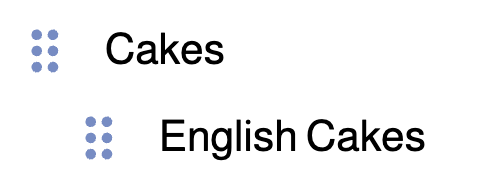
Option 2: Three Levels
If your categories setup has:
- Category A (Main Category)
- Category 1 (Sub-Category)
- Category X (Sub-Sub Category)
- Category Y (Sub-Sub Category)
- Category 2 (Sub-Category)
- Category Z (Sub-Sub Category)
- ...
- Category 1 (Sub-Category)
Follow the steps to create this setup:
- Step 1: Create all your categories (Main Categories, Sub-Categories and Sub-Sub Categories)
Create each category by entering: Category Name (English and Arabic) and upload the category image
- Step 2: For each Sub-Category, edit the category and select the corresponding "Parent Category" from the dropdown list
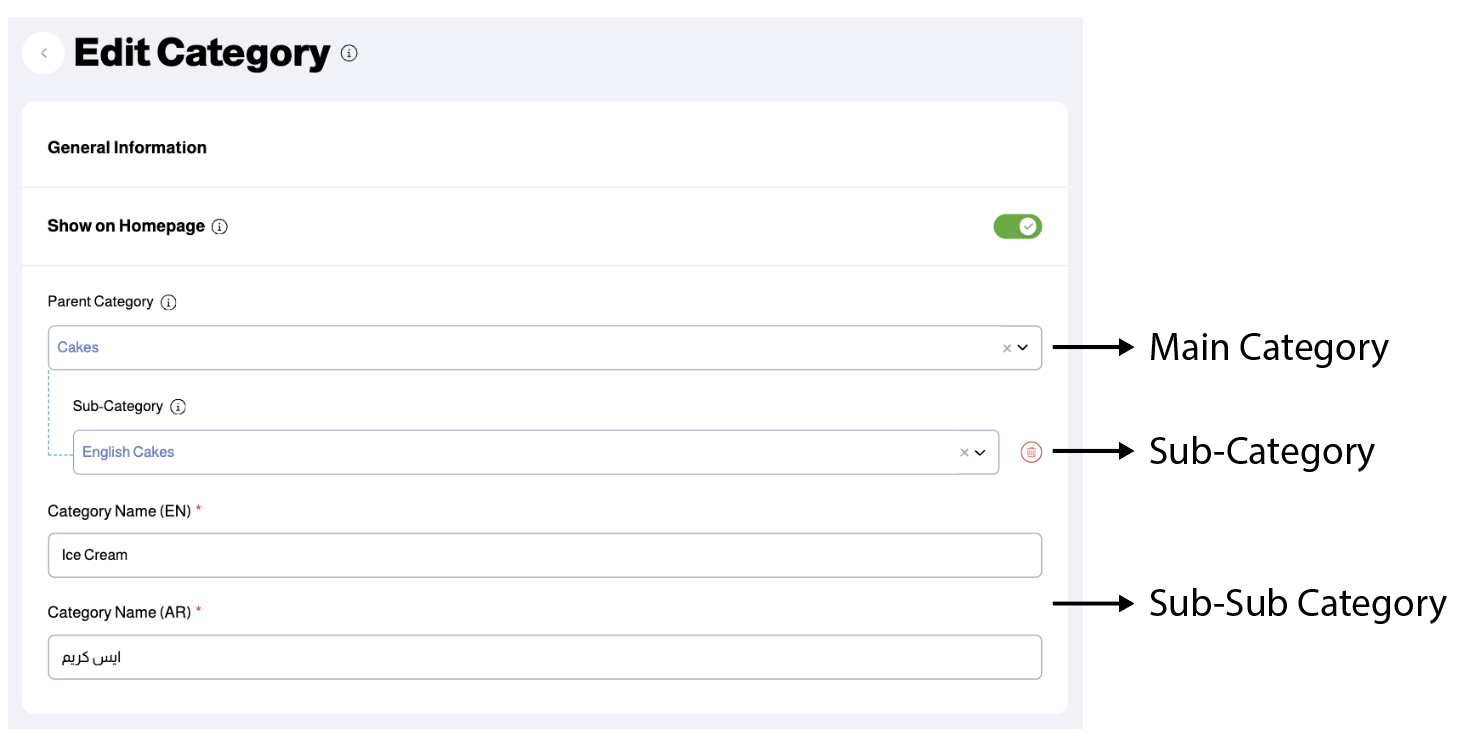
- Step 3: For each Sub-Sub Category, edit the category and select the corresponding "Parent Category" from the dropdown list, then click the "+ Add Sub-Category" button to choose the Sub-Category from the dropdown list.
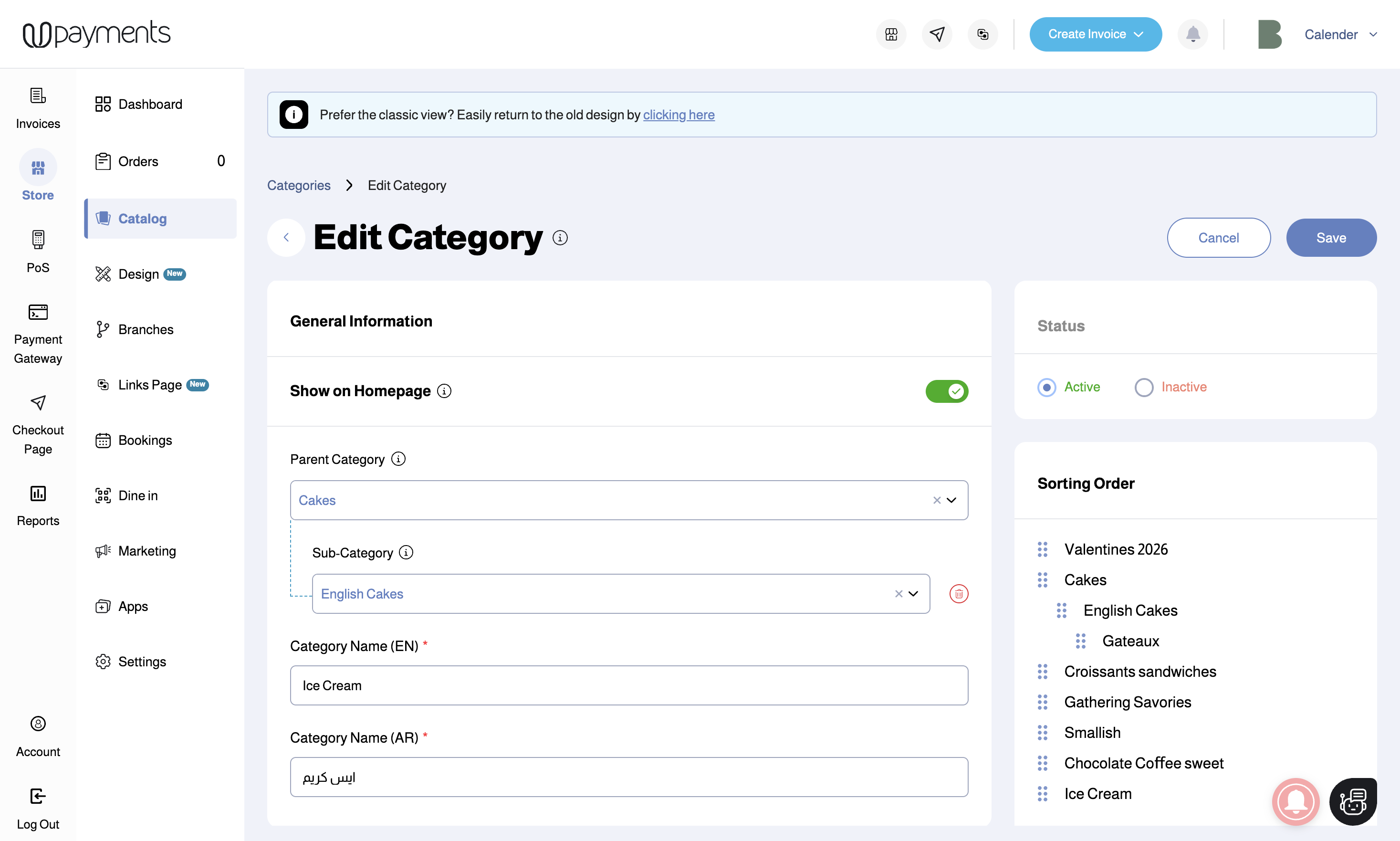
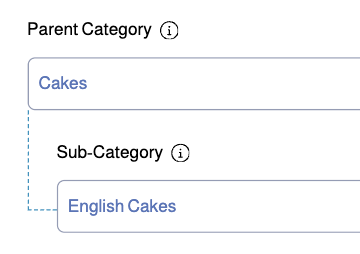
By following these steps, your categories will have a Main Category, Sub-Categories under it and Sub-Sub Categories under them
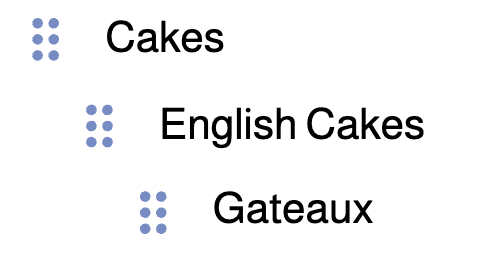
An easy way to understand this is as follows:
Was this article helpful?
That’s Great!
Thank you for your feedback
Sorry! We couldn't be helpful
Thank you for your feedback
Feedback sent
We appreciate your effort and will try to fix the article